Chapter 05 · Watch, then practise
File Systems
Watch the related lecture, then read the question and answer below.
9 questions · 7 playlist videos. Matches are based on video titles; broader background matches are labeled.
Open the full chapter playlist ↗Gate Smashers · 10:26
Topic match: UNIX inode structure and an inode numerical example.
1. Inode allocation — 2075 Bhadra
Explain the inode approach to file allocation with its advantages and disadvantages.
Answer
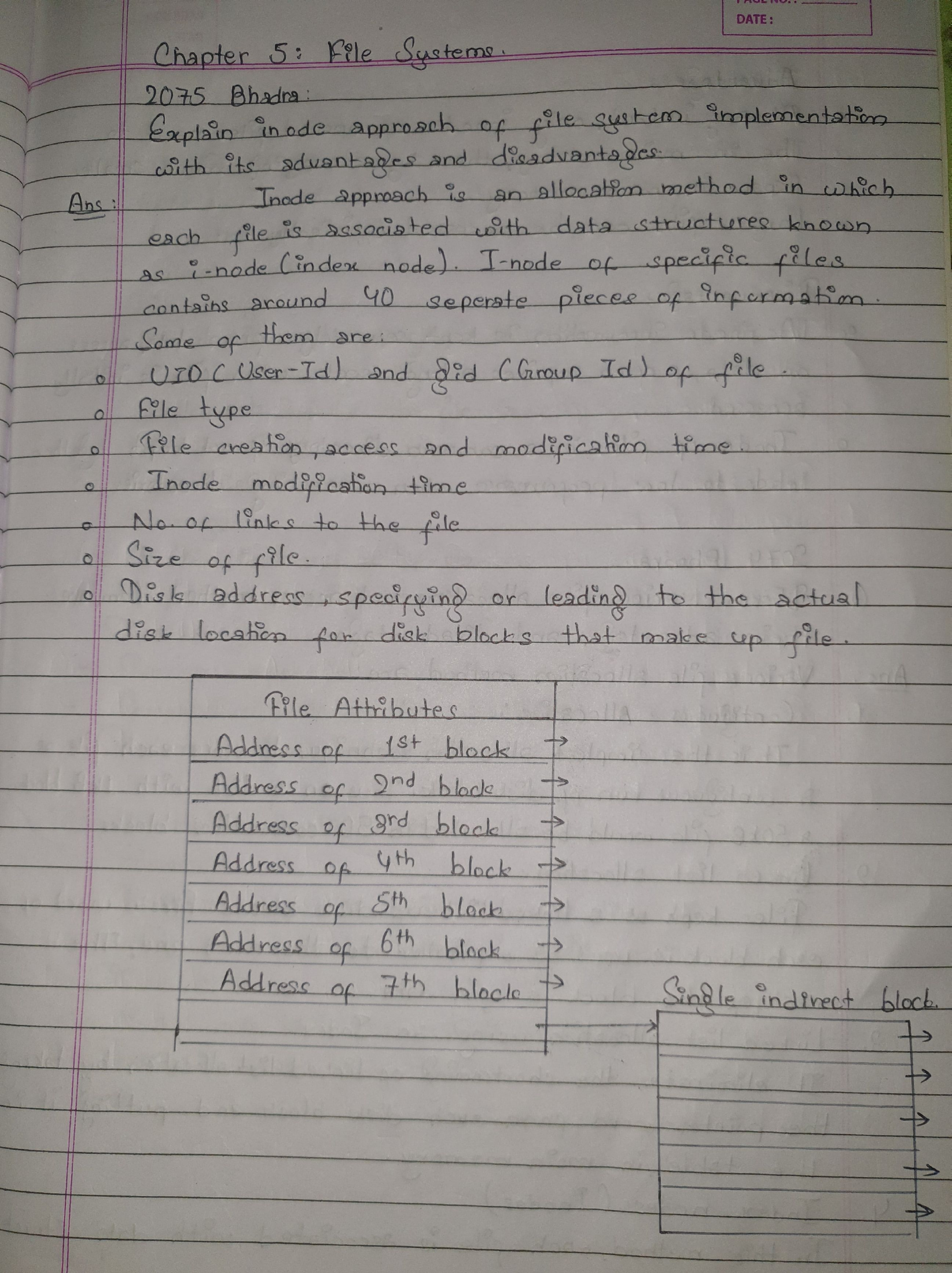
An inode stores information about a file, including its user and group IDs, type, creation/access/modification information, inode modification information, link count, size, and disk-block addresses. The original inode diagram is preserved below.
Advantages: Only inodes for open files need to be in memory, so the memory requirement is comparatively small. The approach also supports large files efficiently.
Disadvantages: Inodes and data blocks may be far apart, causing a long initial seek. Inodes for files in the same directory may not be adjacent, making searches less efficient.
Gate Smashers · 12:37
Gate Smashers · 10:55
Gate Smashers · 10:43
Gate Smashers · 10:26
Covers the allocation methods. No dedicated sequential/direct file-access lecture is listed in the supplied chapter playlist.
2. File allocation and access methods
Explain file-allocation and file-access methods, with their advantages and disadvantages. The exam heading is retained in the original scan.
Answer
Allocation methods
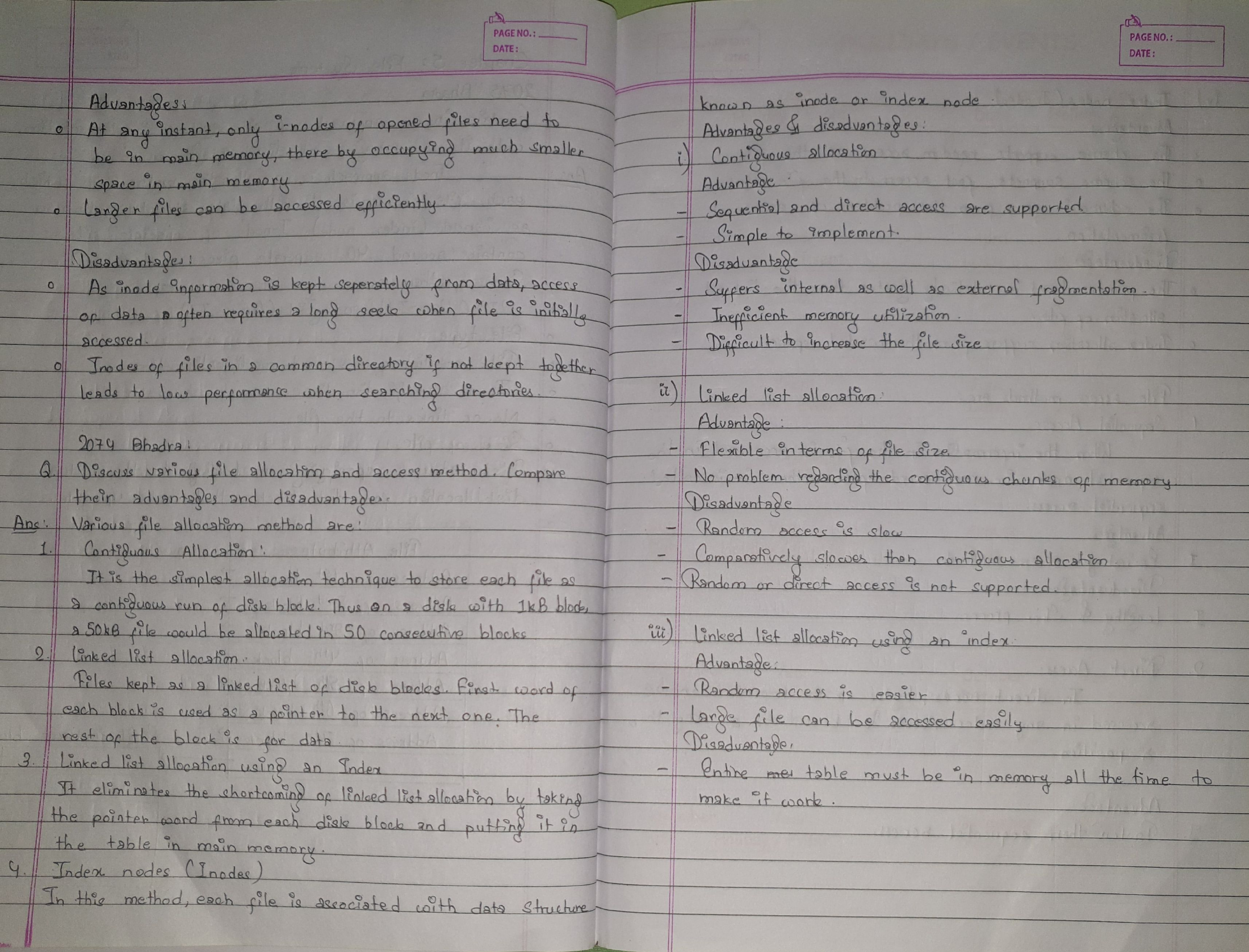
- Contiguous allocation: Stores a file in consecutive blocks. For example, a 50 KB file uses fifty consecutive 1 KB blocks. Sequential and direct access are simple, but fragmentation and difficulty growing a file can waste space.
- Linked allocation: Each block holds a pointer to the next block and the remaining space holds data. Files can grow without requiring adjacent blocks. Random access is slow because the links must be followed.
- Linked allocation with an index table: Moves the block pointers into a table kept in memory. This makes following the chain faster, but requires memory for the table.
- Inode/indexed allocation: Uses a file's index information to locate blocks. It supports random access and avoids external fragmentation, with pointer-storage overhead and possible wasted index space.
Access methods
- Sequential access: Processes records in order. It is simple, but reaching a later record requires passing earlier records.
- Direct access: Accesses a selected record without reading all preceding records. The source describes selection by a key rather than sequential position.
No dedicated file-system/virtual-memory comparison or tape-access video is listed in the supplied chapter playlist.
3. File systems, virtual memory, and tape — 2073 Bhadra, 6(a)
Explain similarities between a file system and virtual memory. Which access method is best for tape?
Answer
Virtual memory presents an apparently contiguous address space while physical frames may be scattered. Translation and backing storage allow a process's address space to grow beyond physical memory. Similarly, a file system presents a continuous file even when its disk blocks are not contiguous; the file can grow without moving all of its existing contents.
Sequential access is suitable for tape: records are read in order, advancing the read position.
Gate Smashers · 10:26
Inode background only. No dedicated block-caching, read-ahead, or disk-arm-motion lecture is listed in the supplied playlist.
4. Improving file-system performance — 2073 Bhadra, 6(b)
Explain block caching, read-ahead, and reducing disk-arm motion as methods of improving file-system performance.
Answer
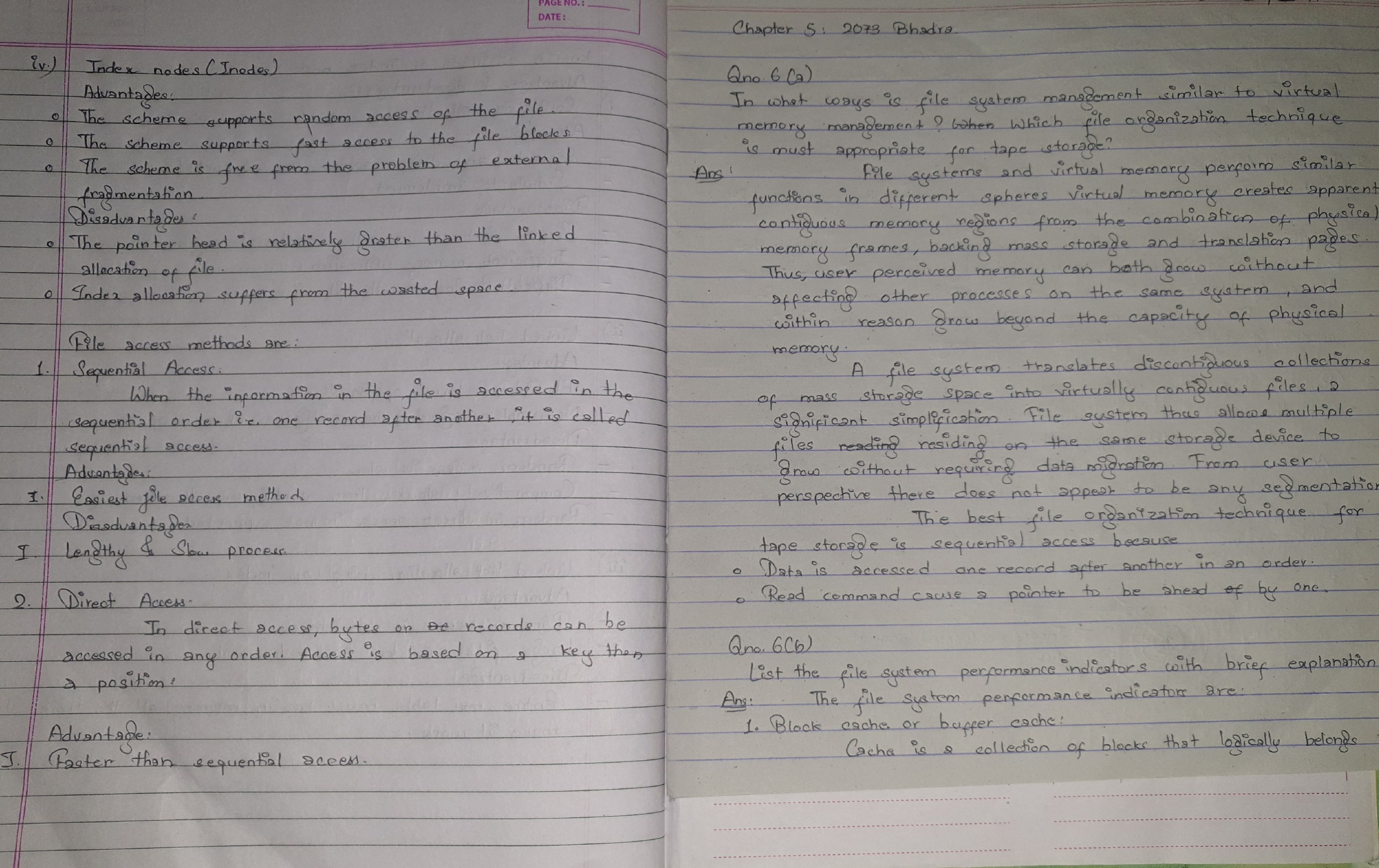
- Block caching: Keeps frequently used disk blocks in memory. First look for a requested block in the cache; if absent, read it from disk and place it in the cache.
- Read-ahead: When sequential access is expected, fetch the next block before it is requested. The source illustrates this as reading block
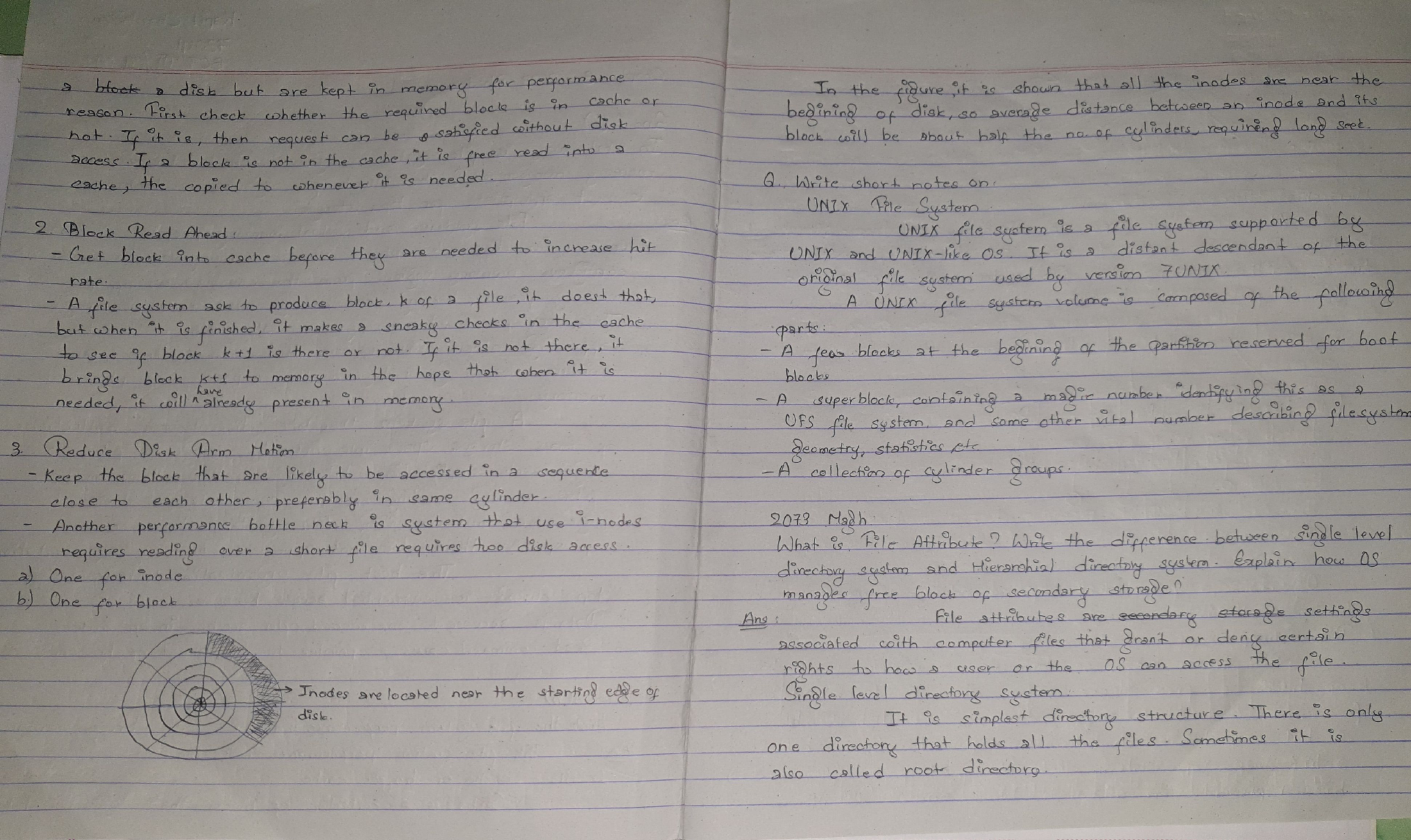
k + 1after blockk. - Reducing disk-arm motion: Place blocks likely to be accessed together near one another, preferably in the same cylinder. The source discusses the separate seeks required to access an inode and its data and the cost of locating inodes near one end of the disk.
The original notation and full discussion are retained here:
Gate Smashers · 10:26
Related UNIX inode background. The lecture title does not specifically cover the full UNIX file-system layout.
5. Short note: UNIX file system
Write a short note on the UNIX file system.
Answer
The source describes a file system descended from Version 7 UNIX. Its layout includes boot blocks, a superblock, and cylinder groups. The superblock holds identifying information such as a magic number, geometry, and statistics. See the original answer above for the handwritten details.
Gate Smashers · 11:14
Easy Engineering Classes · 4:46
Topic matches: file attributes and free-space management. No dedicated directory-structure lecture is listed in the supplied playlist.
6. Attributes, directory structures, and free blocks — 2073 Magh
Explain file attributes, single-level and hierarchical directories, and methods of managing free disk blocks.
Answer
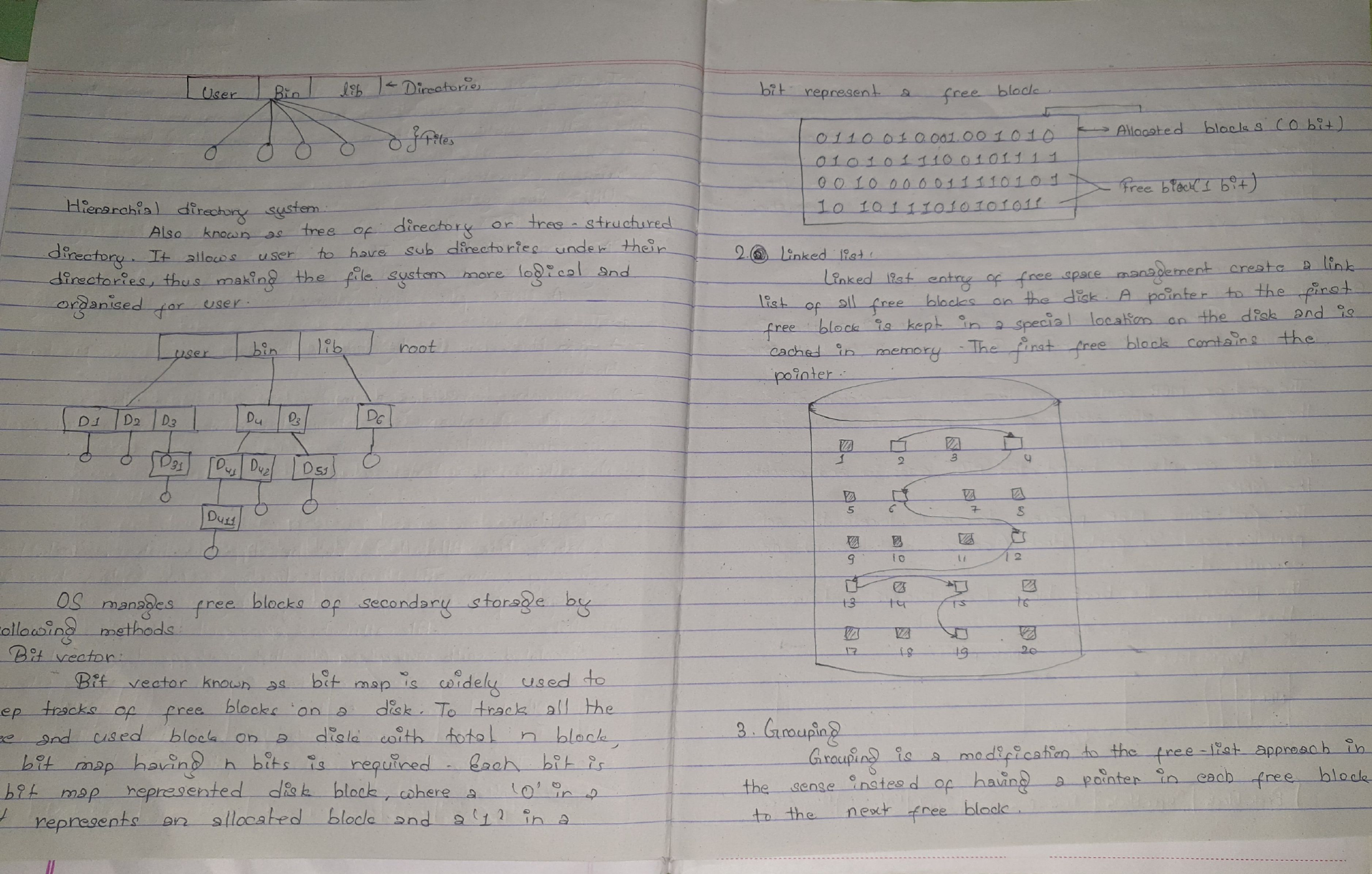
File attributes describe a file and control settings such as access rights. A single-level directory keeps all files in one directory. A hierarchical directory organizes files within directories and subdirectories, providing a logical grouping.
Free-space methods listed in the source are:
- Bitmap: One bit represents each block. The source uses 0 for allocated and 1 for free.
- Linked list: Links the free blocks; the first pointer can be kept in memory to locate the list.
- Grouping: Listed as a free-space method, but the handwritten explanation is incomplete and overlaps with linked-list terminology.
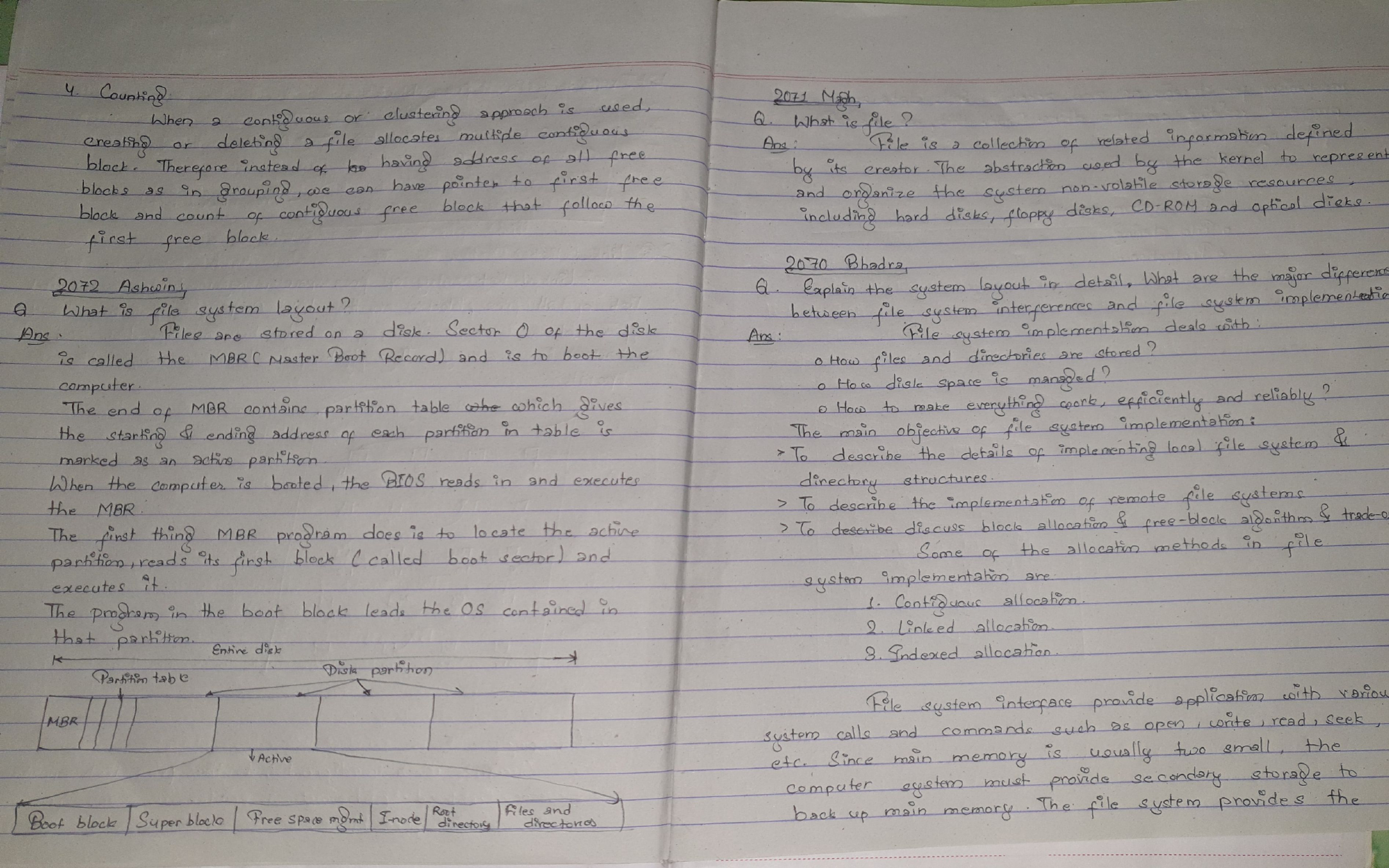
- Counting: Records the first block of a contiguous free region together with the number of free blocks in that region.
Original directory diagrams, bitmap, and free-space notation:
No dedicated file-system layout or MBR/boot-block video is listed in the supplied chapter playlist.
7. File-system layout — 2072 Ashwin
Explain the layout of a file system.
Answer
The source places the master boot record in sector 0, with a partition table near its end and one partition marked active. During boot, the BIOS executes the MBR code, which identifies the active partition and reads its boot block. The boot block then loads the operating system. The original disk-layout diagram is retained below.
Gate Smashers · 11:14
Related background on file attributes and operations.
8. Definition of a file — 2071 Magh
What is a file?
Answer
A file is a collection of related information defined by its creator. It is an abstraction through which the kernel organizes information on nonvolatile storage, such as hard disks, floppy disks, CDs, and optical media.
Gate Smashers · 11:14
Gate Smashers · 10:43
Easy Engineering Classes · 4:46
Related examples of file operations, allocation, and free-space management. No dedicated interface-versus-implementation or boot-layout lecture is listed.
9. File-system interface and implementation — 2070 Bhadra
Explain file-system layout and differentiate the file-system interface from its implementation.
Answer
The layout discussion is given in Question 7. Implementation concerns how files are stored, how space is managed, and how storage is made efficient and reliable. The source lists directory structures, allocation methods such as contiguous, linked, and indexed allocation, and free-space management.
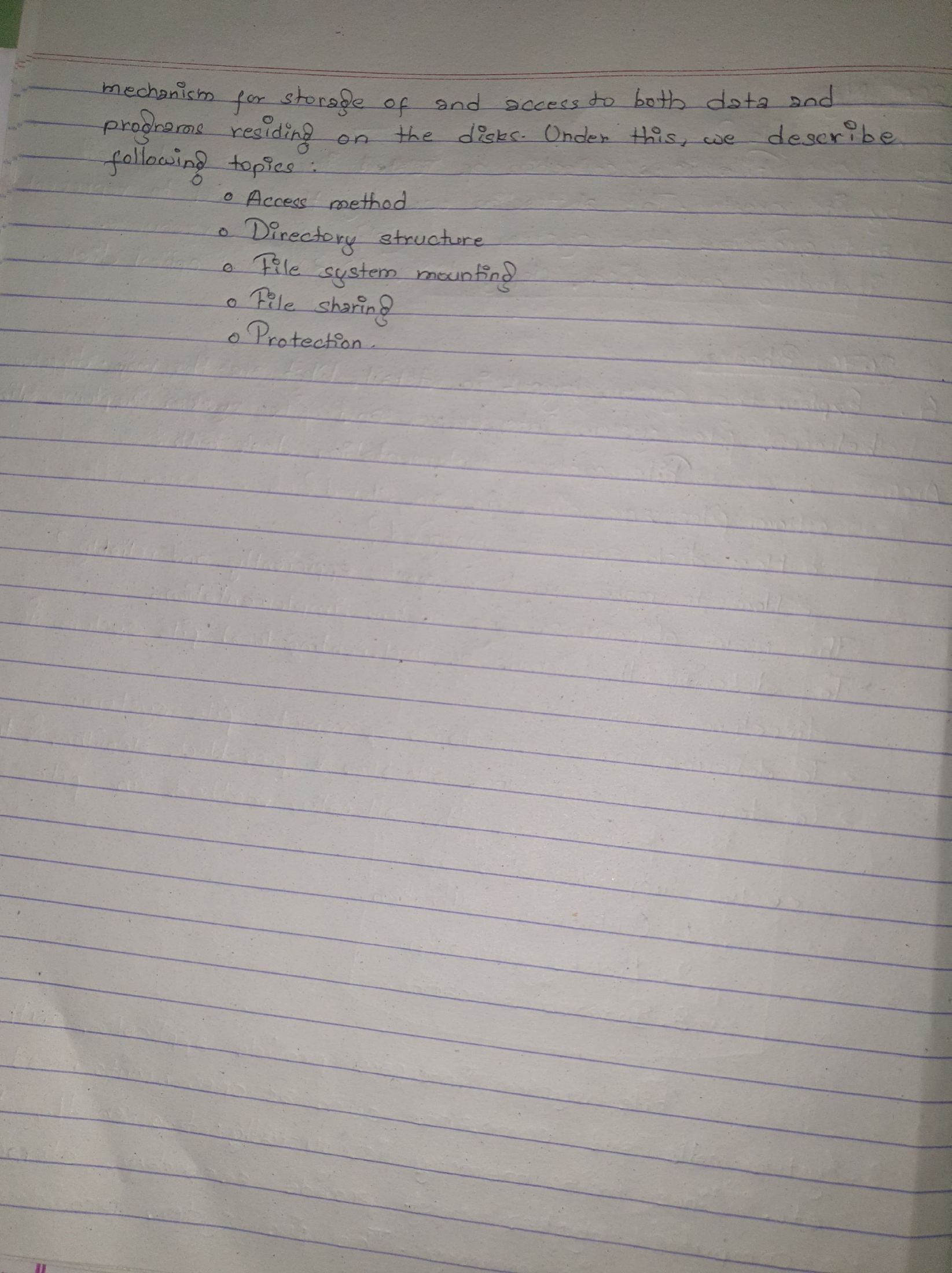
The interface exposes operations such as open, read, write, and seek. It covers access methods, directories, mounting, sharing, and protection. The source also discusses transferring data between memory and secondary storage.
More videos from this chapter’s playlist
These playlist videos do not have a direct match among the questions above.